
Oktibbeha County Jail Roster Overview
The Oktibbeha County Sheriff's Office, led by Sheriff Shank Phelps, runs the county jail and publishes the inmate roster the public uses to find people in custody. The roster is hosted on the sheriff's own site and shows each person held by the agency. It lists names, with a mugshot, a View Charges link, and a Notify Me of Status Change link beside each entry. It is the best first stop when you need to know whether someone is being held locally right now. Because the page pulls from live booking data, any listing can appear, change, or drop off within hours.
The county roster only covers people in the custody of the Oktibbeha County Sheriff's Office. It does not show federal detainees, people serving time in state prison, or anyone held by another county. For a person who has been sentenced and moved into the state system, the Mississippi Department of Corrections runs a separate statewide search. Federal custody and immigration holds are tracked through their own national systems and will not surface on the county list. The sheriff homepage also carries quick links for submitting a tip, filing compliments or complaints, the sex offender registry, and road closures.
The live feed is open to anyone with a browser. View it on the Oktibbeha County Sheriff's Office inmate roster, the same page you reach from the sheriff's jail menu.
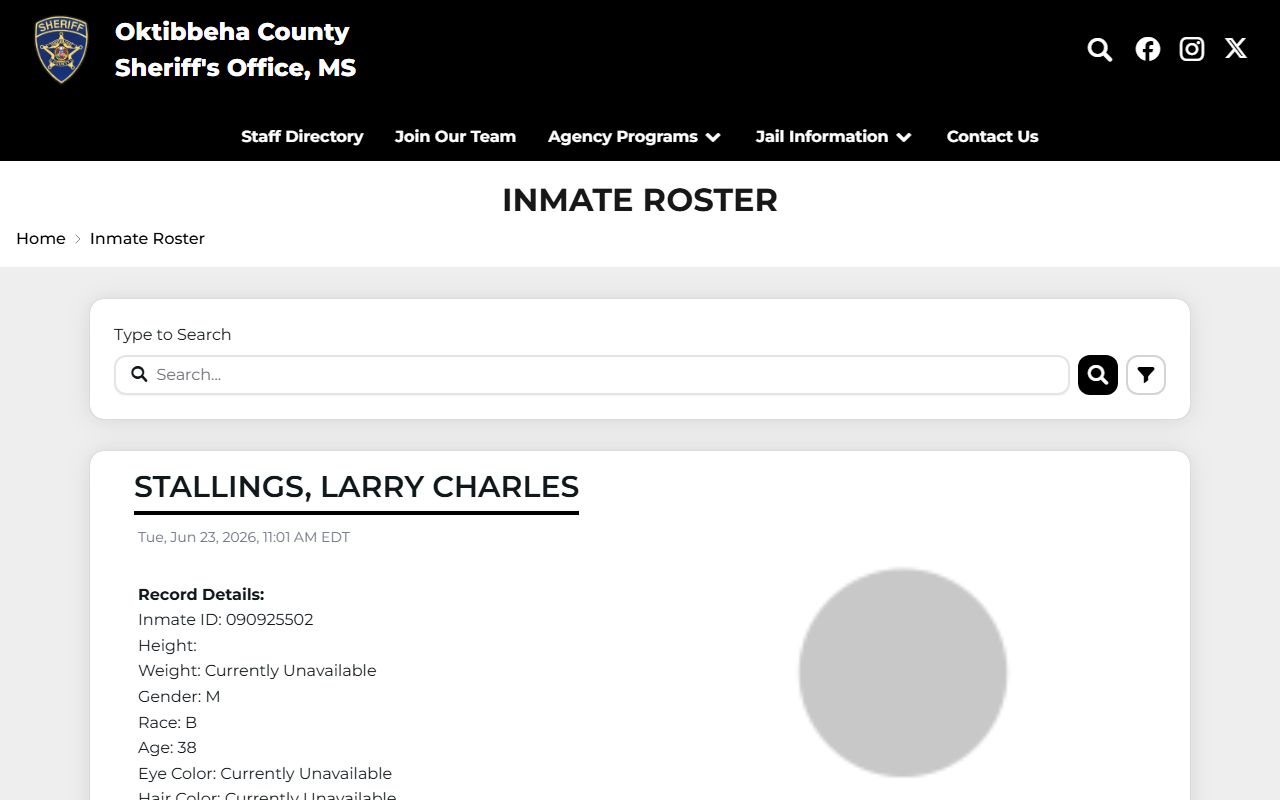
Each row on that feed is one person in custody, and the View Charges link beside the name opens the booking charge detail.
How to Use the Oktibbeha County Inmate Roster
The roster is built around a single type-to-search box, so checking it takes only a minute. Open the sheriff's roster page, start typing a last name, and the list filters as you go. From there you click into an entry to see the booking photo and the charge link. The walkthrough below mirrors the order the page follows.
- Open the Sheriff's Office inmate roster in your browser.
- Type a last name, or first and last name, into the Type to Search box at the top of the list.
- Review the filtered results, each shown with a full name and a mugshot.
- Click an inmate entry, then use View Charges to see the booking charges and Notify Me of Status Change to set a VINELink alert.
If a name does not appear, the person may not be held by the county, may have been released, or may be listed under a legal name that differs from the one you tried. Searching by last name alone casts the widest net.
Roster Search Fields
The county roster keeps its search simple. Instead of a multi-field form, it uses one live filter box and two action links that sit under each result. The table lists the fields captured from the public roster, what each one does, and where the exact behavior is not published.
| Field Label | Type | Required | Notes |
|---|---|---|---|
| Type to Search | Text filter | No | Filters the visible roster as you type. Exact matching rules are not published, so try a last name first. |
| View Charges | Link / action | No | Appears under each inmate. Opens the charge detail, which may load through the site's dynamic content. |
| Notify Me of Status Change | Link / action | No | Sends you to VINELink to register for custody status notifications on that person. |
Because there is no booking-number or date field on the public list, the type-to-search box is the only way to narrow the roster from the website itself.
What an Inmate Profile Shows
Click a name and the roster opens an individual profile for that person. The fields confirmed on the public profile are the name, the booking photo, and the VINELink notification link. The View Charges link adds the charge detail, though that content can load only after the page renders. The table below maps the fields a county jail profile typically presents and what each one tells you, so you know what to expect when a record opens.
| Field | What It Shows |
|---|---|
| Inmate Name | The person's full legal name, usually in last, first middle order. |
| Booking Photo | The mugshot taken during intake at the county jail. |
| Charges | The offenses booked against the person, opened through the View Charges link. |
| Custody Status | Whether the person is still held, tracked live and available as a VINELink alert. |
| Profile Link | A direct web address for that individual's roster entry. |
| Status Notification | The Notify Me link that registers you for release and transfer alerts on VINELink. |
The roster is a custody lookup, not a conviction record. The charges shown reflect what a person was booked on, not a final court outcome. To follow those charges into court, see the Oktibbeha County arrest records and charges page, which explains how a booking charge becomes a filed court charge.
Oktibbeha County Sheriff and Jail Contact
The Sheriff's Office is the single point of contact for the county jail, the roster, and questions the website does not answer. Staff there can confirm whether a person is held, point you to the right service vendor, and accept public records requests for booking material that is not posted online. The office keeps weekday business hours, and the main number reaches the agency for general jail questions.
Oktibbeha County Sheriff's Office
111 Dr. D.L. Conner Dr
Starkville, MS 39759
662-323-2421
general@sheriff.oktibbeha.ms.us
Mon-Fri 8:30 am - 4:30 pm
There is no separately published 24-hour jail information line in the official sources, so the main office number is the verified way to reach staff. For booking documents that do not appear on the roster, a county public records request is the proper channel, though law-enforcement and privacy limits can apply to some records.
Note: Call the Sheriff's Office before relying on any online listing, since custody status can change between the time a roster updates and the time you read it.
Booking Process in Oktibbeha County
Booking is the intake process that follows an arrest. People are brought to the county jail by the Sheriff's Office, Starkville Police, Mississippi State University Police, the Mississippi Highway Patrol, or another agency, depending on who made the arrest. Once at the jail, intake staff confirm identity, take a booking photo, inventory personal property, and complete a classification and medical screening before charges are entered into the system.
After charges are recorded, a person may post bond or wait for an initial court appearance where bond and release conditions are set. The roster listing generally appears once booking is complete and the entry is posted publicly. Exact timing is not published, and it can shift with arrest volume, transfers, and staffing.
The charges a person is booked on are the starting point, not the final word. As a case moves forward, the prosecutor decides what to file, and those court charges can be amended, reduced, or dropped. The booking-to-court path runs through the county prosecutor and the courts, not the jail roster.
Oktibbeha County Jail Versus State Custody
The county roster and the state inmate search answer two different questions. The county jail holds people awaiting court, serving short local sentences, or waiting to be transferred. Once a person is sentenced to prison time and moved into state custody, they drop off the county roster and appear instead in the Mississippi Department of Corrections system. Knowing which stage a person is in tells you which search to run.
The MDOC inmate search is the statewide tool for people in Mississippi Department of Corrections custody. Its form below differs from the county roster.
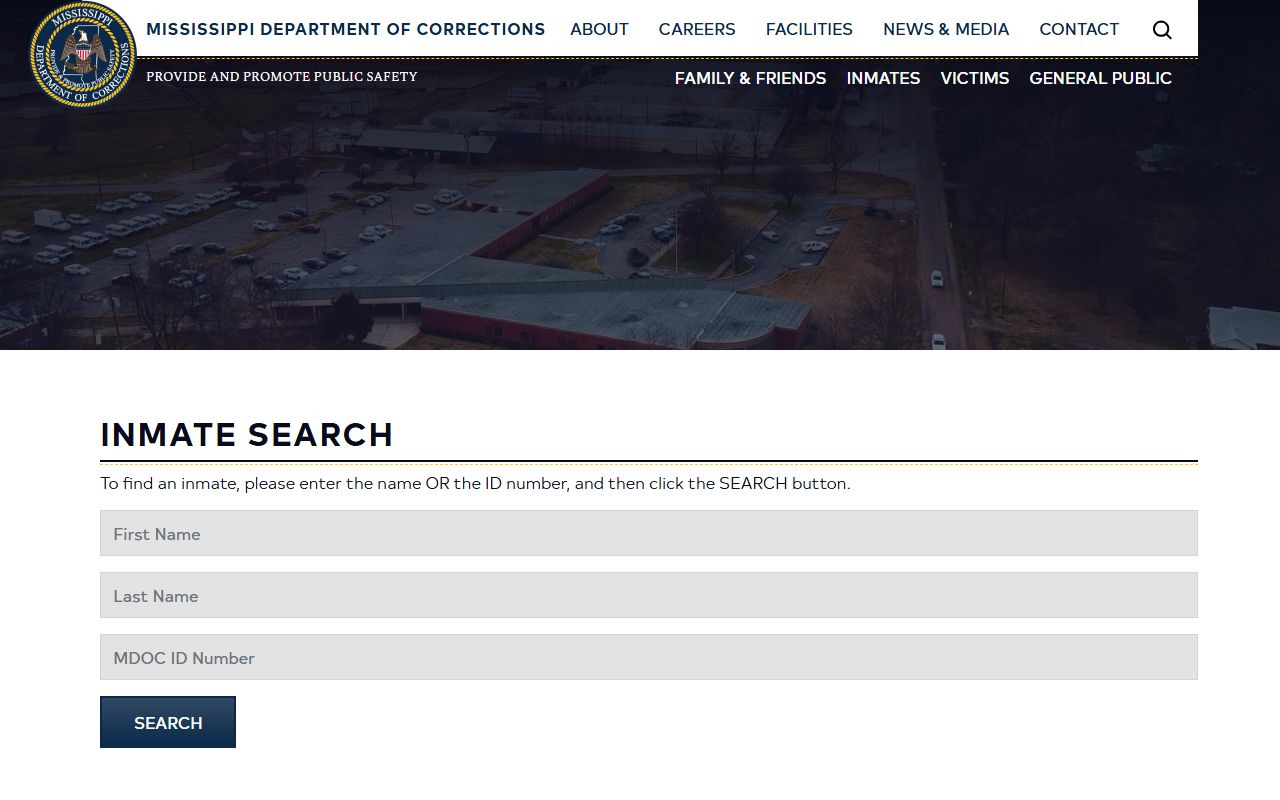
That state form accepts either a name or an MDOC ID number, as the table shows.
| Field Label | Type | Required | Notes |
|---|---|---|---|
| First Name | Text | Conditional | Enter a name or an ID number, per MDOC instructions. |
| Last Name | Text | Conditional | Enter a name or an ID number, per MDOC instructions. |
| MDOC ID Number | Text | Conditional | Use for a sentenced state inmate when the ID is known. |
| Search | Button | Yes to submit | Searches state custody, not the Oktibbeha County jail. |
If a county search comes up empty for someone you believe was convicted, the state system is the next place to look.
VINELink Custody Status Alerts
Each roster entry carries a Notify Me of Status Change link that sends you to VINELink. VINELink is a free service that lets you register for automatic alerts when a person's custody status changes, such as a release or a transfer. Rather than checking the roster over and over, you sign up once and let the alert reach you. It is the simplest way to stay current on a specific person without manual checks.
VINELink covers custody events. It does not replace the roster for charge detail or the courts for case outcomes. Victims and concerned family members often use it for release notice, while the roster and the court record cover the rest of the picture.
For the charges and warrants that put a person in custody, the Oktibbeha County warrant records page explains how active warrants are handled locally.
Oktibbeha County Jail Services and Visitation
The Sheriff's Office routes jail services through a few official providers, each linked from the sheriff site. The roster handles custody lookups, Access Corrections handles commissary deposits, and JailATM handles video visits and money deposits. The sheriff also publishes a Visitation Schedule page and a Visitor Notices and Rules page. The table below works as the service-and-schedule reference, since the public pages did not expose the actual visit times.
| Service | Official Provider | What It Covers |
|---|---|---|
| Inmate Roster | Sheriff's Office roster feed | Public custody search with names, mugshots, charge link, and VINELink. |
| Pay Commissary | Access Corrections | Deposits to an inmate's commissary account. |
| Video Visits | JailATM | Remote video visitation and money deposits. |
| Visitation Schedule | Sheriff's Office page | Lists visit days and times; confirm current hours before you go. |
| Visitor Notices & Rules | Sheriff's Office page | Lists visitor requirements; confirm ID, dress, and child rules directly. |
The current visitation hours, mail format, dress code, and child-visitor rules are not published in a way that can be quoted here with confidence. For that reason, the safe step is to open the sheriff's pages and confirm the details before you travel. The Oktibbeha County jail visitation schedule is the page to check first.
That schedule page can change for lockdowns, holidays, court transport days, staffing, and maintenance, which is exactly why calling ahead matters.
The companion page lists the requirements visitors must meet before a visit is allowed. Review the Oktibbeha County jail visitor notices and rules for the current policy.
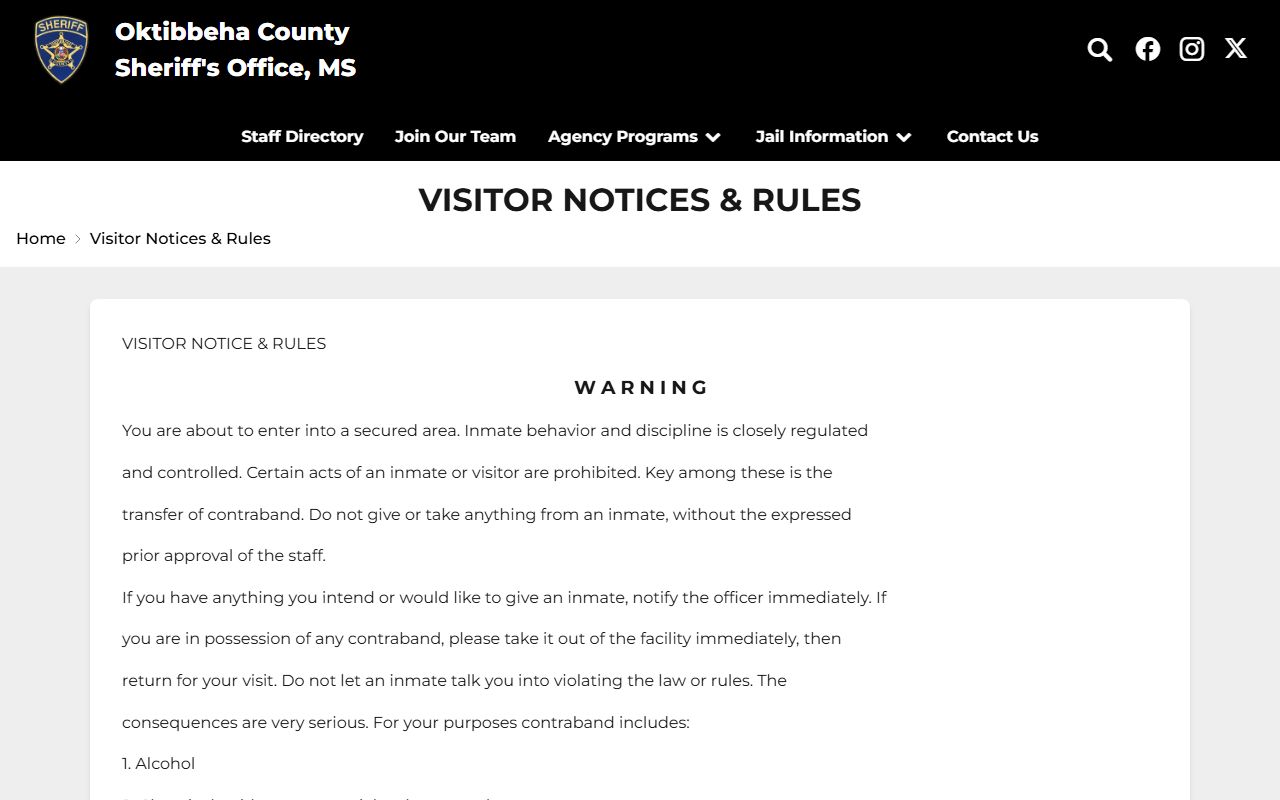
Treat both sheriff pages as the official word on visits, and verify ID, dress, and child rules with jail staff if anything is unclear.
Note: Do not rely on an old visit schedule or a third-party listing, because jail visitation windows shift often and only the sheriff's pages and staff carry the current rules.
The Oktibbeha County Sheriff Mobile App
The Sheriff's Office offers an official mobile app through OCV, branded as the Oktibbeha County Sheriff's Office app. The sheriff site links a Download Our App option to an OCV landing page that carries both Apple App Store and Google Play badges. The app is the agency's official mobile channel and a convenient way to reach sheriff alerts and the linked jail services from a phone.
You can reach the store badges from the official Oktibbeha County Sheriff's Office app landing page. The screen below shows that download page.
Because the public capture does not confirm app-only inmate or warrant tools, treat the app as a mobile path to the same sheriff services rather than a separate search system. For the roster itself, the website remains the verified route.
Commissary and Inmate Funds
Money for an inmate's account and remote contact run through outside vendors named on the sheriff site. Commissary deposits go through Access Corrections, and video visits and deposits go through JailATM. These are the official channels linked from the jail menu, so they are the ones to use rather than any third-party lookalike.
Deposit limits, fees, ordering windows, and any tablet or phone-call program were not published in a way that can be quoted here. Prices and rules for these vendors change, so confirm the current amounts at checkout or with the Sheriff's Office before sending funds.
Mail rules, attorney-visit procedures, and religious-advisor access were not located in the official online sources either. When a specific rule matters, call the Sheriff's Office at 662-323-2421 and confirm it directly, since the jail staff hold the current policy.